

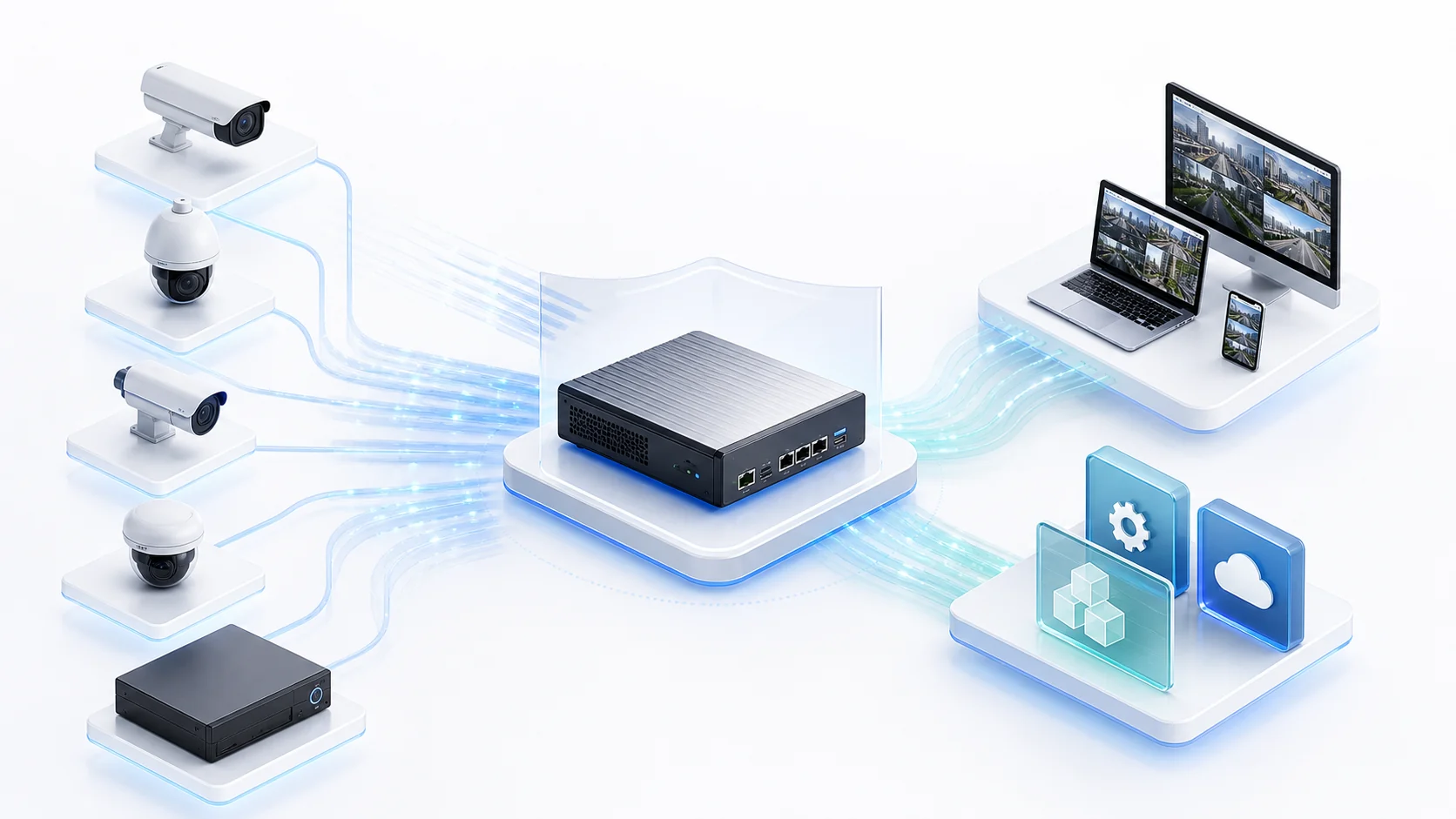
StreamGate On-prem Video Gateway

Deploy StreamGate on site to unify IP cameras, NVRs, GB28181 platforms, RTSP URLs, ONVIF, SRT backhaul, and existing streams, then expose browser playback, recording replay, Web Console, and APIs to business systems.

StreamGate access and distribution capability visual
RTSP / ONVIF / GB28181 ingestBrowser playback / replayHikvision / Dahua / Uniview / Tiandy

Product Architecture

Vendor Device CoverageCovers Common Camera and NVR Vendors
HikvisionDahuaUniviewTiandy

Specific models, firmware versions, and device-side recording/replay behavior should be confirmed on the target site or test devices.

Choose an Edition

Small local/LAN site

Standard

For small local or LAN deployments that need camera ingest, web preview, recording replay, and a standard video wall.

From ¥400 for 10 channels
Typical scope

Single-site or small LAN deployments such as campuses, stores, schools, and factories.

Included
  • Sources: IP cameras, NVRs, encoders, RTSP URLs, ONVIF discovery / stream access, and existing video streams
  • GB28181: registration / keepalive, catalog publishing, live media requests, and media sessions
  • H.264 / H.265 stream ingest, preview, recording, and distribution
  • HTTP-FLV / WS-FLV / HLS / WebRTC distribution without a licensed viewer-count limit
  • Viewing and recording: channel preview, fullscreen view, local recording indexes, and web replay
  • Standard video wall, channel wall display, rotation, and fullscreen presentation
  • Management: devices, channels, online state, PTZ control, license page, and runtime logs
License
Licensed by deployment and input channels, starting at 10 channels
Support
Includes 3 months of version maintenance
Large scale / custom

Enterprise

For 256+ channels, special device adaptation, API integration service, and contract-level support.

From ¥19800 for 256 channels
Typical scope

Larger scale, stronger governance, special devices/private protocols, SLA, and multi-team projects.

Included
  • All Professional capabilities for 256+ channels or governed multi-team projects
  • API integration service for business systems, operations platforms, alarm platforms, or display walls
  • Special vendor SDK, private protocol, dedicated device, or legacy-platform adaptation
  • Hardware sizing, storage capacity, network bandwidth, load-test plan, and launch support
  • Maintenance term, response level, deployment count, and customization scope by contract
License
Capacity, deployment count, and customization scope are confirmed by contract
Support
Long-term maintenance by contract

StreamGate is licensed by edition and input channels, without a licensed viewer-count limit. Actual playback, recording, and GB28181 media concurrency depends on server CPU/GPU, disk I/O, bitrate, protocol, and network conditions. The console, APIs, events, and logs show license state, channel quota, and key runtime information clearly.

Open APIs and Business Integration

StreamGate is not only a Web Console. It also exposes open APIs for business systems to integrate channel lists, online state, playback URLs, recording search, and license state into operations platforms, business systems, or dashboards.

Channels and Device State

Read devices, channels, online state, stream state, and runtime alarms for operations platforms or dashboards.

Playback URLs and Access Control

Generate playback entries by channel and control available capabilities by edition entitlements and deployment policy.

Recording Search and Replay

Integrate recording search by channel, time, and index so business systems can open replay directly.

Project Integration Service

Professional and Enterprise scopes can cover APIs, deployment environments, special devices, and private protocols by project.

Supported Platforms

Windows installer

Windows 64-bit

PackageStreamGate.exe plus runtime dependencies
Linux tar.gz package

Linux x86_64

Packagestreamgate plus runtime dependencies
ARM Linux tar.gz package

Linux aarch64

Packagestreamgate plus runtime dependencies

License Strategy

StreamGate Standard runs free for up to 5 input channels by default and becomes a commercial Standard deployment after importing a Standard license. The Professional runtime package also uses the 5-channel free Standard baseline until a license is imported; it becomes Professional trial, Professional commercial, or Enterprise according to the imported license.

01

Choose an Edition

Standard includes GB28181 registration / keepalive, catalog publishing, live media requests, browser distribution, standard video wall, recording, and replay. Professional adds advanced GB28181, SRT ingest / backhaul, software transcoding, hardware codec paths, OpenAPI, remote access, read-only sharing, command center, and Hikvision / Dahua / Uniview / Tiandy vendor-SDK adaptation. Enterprise scope is confirmed by project.

02

Quote by Input Channels

Standard channel expansion only requires a license update. To move from Standard to Professional, use the full Professional installer or portable package and migrate configuration, recording directories, and license data.

03

Copy Request from Software

StreamGate licenses use deployment ID with machine fingerprint verification. Run the software on the target server, then copy the complete request from the local Web Console license page.

Licensing

Request a StreamGate License

Download and run the Standard or Professional package on the target server first, then copy the complete license request from the local Web Console license page. Standard capacity expansion only updates the license; Standard-to-Professional upgrades should use the full Professional runtime package.

Server Sizing Guidance

The following starter sizing assumes common 1080p H.264 / H.265 streams at 2-4 Mbps, mainly for ingest, recording, and browser preview. Without transcoding, focus on total bitrate, NIC bandwidth, and disk I/O; add capacity separately for transcoding, high WebRTC concurrency, long retention, or higher resolutions.

ScaleSuggested serverBest fit
Free up to 5 channels / small evaluation2-core CPU, 4 GB RAM, 1 GbE NIC; recording disk sized by retention daysFor feature validation, small stores, or single-site LAN preview without large-scale transcoding.
10-32 channel Standard4-core CPU, 8 GB RAM, 1 GbE NIC, dedicated recording diskFor regular RTSP / ONVIF / GB28181 registration / keepalive, catalog, live media requests, browser preview, and local recording.
64-128 channel Professional8-core CPU, 16 GB RAM, 1 GbE / 2.5 GbE NIC, dedicated recording storage; GPU / SoC recommended for transcodingFor more input channels, SRT backhaul, transcoding, OpenAPI integration, and remote access.
256+ channel enterprise projectLoad test by total bitrate, retention days, viewer concurrency, and transcoding ratio; evaluate from 8-16 cores, 16-32 GB RAM, and 2.5 GbE / 10 GbE networkingFor larger or multi-team projects; deployment topology, storage, and launch plan are confirmed by project.

Bandwidth can be estimated as channel count x per-stream bitrate. Recording capacity can be estimated at about 10.8 GB per day per 1 Mbps stream, multiplied by bitrate, channel count, and retention days.

FAQ

Can I download StreamGate for evaluation directly?
Yes. Standard is directly downloadable for long-term use and is free up to 5 input channels by default, including RTSP / ONVIF, GB28181 registration / keepalive, catalog publishing, live media requests, browser distribution, standard video wall, recording, and replay. Use Professional with a trial license to validate advanced GB28181, SRT ingest / backhaul, software transcoding, hardware codec paths, OpenAPI, remote access, command center, or Hikvision / Dahua / Uniview / Tiandy vendor-SDK adaptation.
How does free use up to 5 channels work?
Download Standard to use up to 5 channels without a license request. Request Standard commercial licensing for more channels; download the Professional package and request the matching license for vendor SDK, SRT, transcoding, OpenAPI, remote access, and other Professional capabilities.
Can Standard be upgraded directly to Professional?
Standard channel expansion can be handled by updating the Standard license. Moving from Standard to Professional requires the full Professional installer or portable package so vendor SDKs, transcoding, SRT, and runtime dependencies stay consistent. Configuration, recording directories, and license request data can be migrated according to the guide.
How is StreamGate licensed?
Pricing is based on edition and input channels, without a licensed viewer-count limit. Actual concurrency depends on server, bitrate, disk, and network capacity.
Do I need SDK or StreamGate?
Choose StreamCore SDK if you need APIs inside your own software. Choose StreamGate if you need to deploy a manageable video gateway directly.

Ready to Start Your Project?